


Customuse: Skins Maker Roblox
4.713.13K Reviews
App Specs
- Version
- 1.82.0
- Updated On
- License
- Free
- Downloads
- 10,000,000+
- Developer
- Customuse
- Categories
- Art & Design
- Platform
- Android, iOS
Screenshots
 Analysis by AppCompare
When I want to change an avatar’s look, I’d rather try a few ideas than settle for the first outfit that seems close enough. That’s the appeal of Customuse: Skins Maker Roblox: it puts skin design at the center, giving me a place to explore colors, patterns, and personal touches before deciding what feels right. It’s an art and design app from Customuse, aimed at people who enjoy making clothes for virtual worlds rather than only browsing ready-made looks.
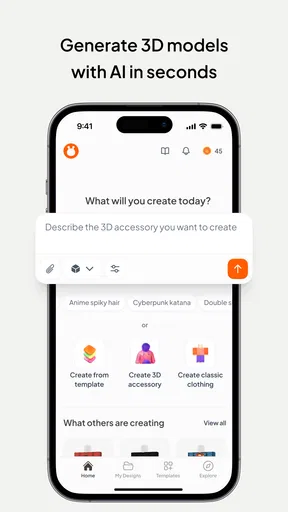
The main draw is the creative process itself. Instead of treating an avatar outfit as a fixed choice, I can use a template as a starting point and adjust it until the design feels more like mine. For a younger player, that can make a familiar character feel personal; for someone who likes design, it offers a low-pressure way to experiment with visual ideas. The app is free to download, though it also offers in-app purchases, so I’d treat optional spending as something to check before committing to a particular workflow.
Designing is more than picking a preset
The useful distinction here is between choosing a finished look and shaping one. Templates help reduce the blank-page problem, but they’re most valuable when I use them as a base rather than an answer. A practical approach is to decide on a small idea first—perhaps a limited color palette or a particular mood—then make a few variations. That makes it easier to compare designs and helps prevent a project from becoming a pile of unrelated details.
That kind of focused editing also suits a phone screen. I wouldn’t try to plan an elaborate outfit all at once while switching between lots of unrelated options. I’d start with the main colors, check the overall silhouette, and add smaller accents only if they improve the result. This is a simple habit, but it makes the creative process feel more intentional and gives me a clearer point to return to if a later change doesn’t work.
Seeing the design in three dimensions
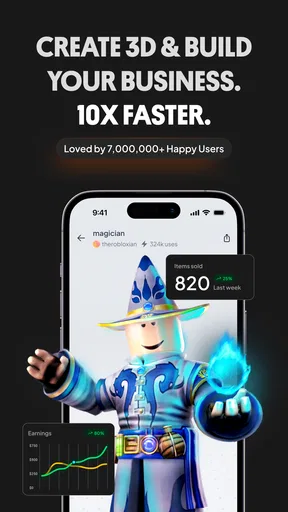
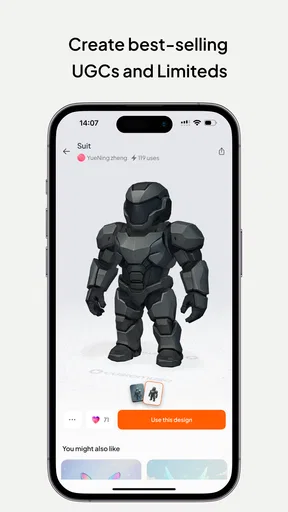
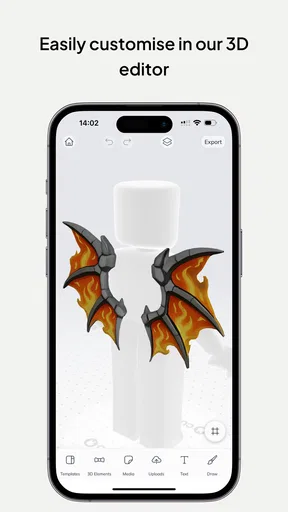
The 3D preview is the feature that makes the design process easier to judge. A pattern or color arrangement that looks promising in a flat editing view can feel different once I can inspect it as an avatar. I find that especially useful for checking whether the main visual idea reads clearly, rather than getting distracted by tiny details that may not matter in the finished look.
I’d use the preview as a decision tool, not just a final reveal. After making a broad change, I’d rotate my attention across the design and check whether the colors still feel balanced and whether an accent competes with the main idea. Saving multiple designs is handy here: I can keep a simpler version alongside a bolder experiment instead of overwriting the one I already like. That makes trying something different less risky.
How Customuse fits into a Roblox routine
A realistic use for me would be planning a new look before joining friends: open the app during a quiet moment, choose a template, try two or three color directions, and use the 3D view to settle on one. I’d save the alternative I nearly chose, too, so I could revisit it another day. That’s a better fit than expecting the app to instantly produce a perfect design without any decisions from me.
Worth Reading Before You Choose

EA SPORTS FC Mobile 26 Is a Bigger Football Game, but It Takes Time

Flipboard Shows What News Apps Must Do Beyond the Feed

Switching to Android Auto Means Rethinking Your Driving Routine

Google Calendar Makes a Crowded Week Easier to Manage

Ludo King Makes the Most of the Minutes Between Plans

Baby Panda World Brings Quick Play to Modern Phones, but Its Game Library Feels Busy
Getting Started with Customuse
Diving into Customuse: Skins Maker Roblox is a breeze. After downloading, you’re greeted with an intuitive interface that feels like it’s guiding you every step of the way. No need to be a tech wizard here; the app simplifies the process of creating and customizing your own skins with easy-to-use tools.
Features That Shine
What really caught my eye were the vast customization options. You can mix and match colors, patterns, and accessories to create something truly personal. The app offers a plethora of templates to get you started, but the real fun begins when you start tweaking and adding your own flair.
One feature I found particularly cool was the ability to preview your creations in 3D. This gives you a real sense of how your avatar will look in the game. Plus, the app lets you save multiple designs, so you can switch up your look whenever the mood strikes.
Why You'll Love It
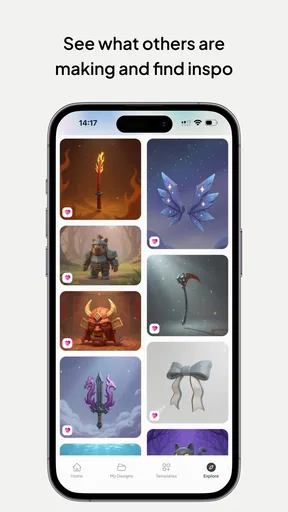
If you’re someone who spends a lot of time in Roblox, this app can be a game-changer. It’s not just about looking good; it’s about expressing yourself and standing out in a crowded virtual world. The app also has a community feature where you can share your designs and get inspired by what others are creating.
Oh, and did I mention how smooth the process is? The app runs seamlessly, with no noticeable lags or crashes. It’s built to handle even the most intricate designs without breaking a sweat.
Choosing it over other design tools
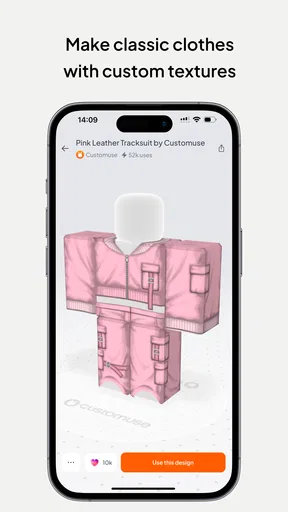
Compared with a general drawing app, this one is more directly suited to making Roblox-inspired clothing: the templates give me a more relevant starting point, and the 3D preview helps me judge a design as something worn by an avatar rather than as a flat picture. A drawing app may be the better choice if I want complete freedom over a canvas or need detailed illustration tools. Customuse makes more sense when the end goal is an avatar look and I want the design process oriented around that.
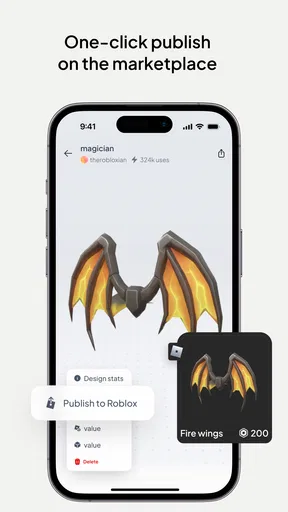
I’d also separate designing from getting the result into a game. The app is useful for exploring and saving ideas, but I wouldn’t assume that creating a skin automatically changes what other players see. Before spending time polishing a design, I’d check what the current export or use process asks me to do and whether it fits the way I play. That small check avoids confusing a good design tool with a shortcut around a game’s own steps.
Where the workflow can feel limiting
Templates make it easier to begin, but they can also nudge several people toward similar starting points. My best workaround is to make one deliberate change early—such as a different palette or a less obvious combination of accents—before adding detail. That helps a design feel considered instead of merely recognizable. It also gives me a useful test: if the outfit only works because of lots of small decorations, its central idea may need another pass.
Mobile editing has a natural trade-off, too. It’s convenient for quick experiments, but a small screen can make careful visual decisions slower than working on a larger display. I’d use the app for sketching, comparing variations, and refining a clear concept; if I needed meticulous control over every tiny element, a desktop-oriented art tool could be a better fit. The right choice depends on whether convenience or fine-grained editing matters more to me.
Who gets the most from it
I’d recommend it most to Roblox players who enjoy changing their avatar’s style and to beginners who want a guided way into skin design. It can also suit someone who likes making several visual options before choosing one, rather than buying or selecting a finished look immediately. Its Everyone age rating makes it broadly accessible, although younger users should still have an adult’s help with any optional purchases.
The app has a 4.7 average from around 828 thousand ratings and has passed five million installs, which suggests that many people have found a reason to try it. It is free, with in-app purchases ranging from $1.99 to $59.99 per item, so I’d explore the free experience first and only pay if a specific option seems worthwhile. The current version is 1.74.0, and it requires Android 8.0 or later. Those details matter if I’m checking compatibility or deciding whether to spend, but they don’t replace the more useful question: do I actually enjoy designing clothes?
When I’d choose something else
If I only want a ready-made outfit and have no interest in changing colors, comparing versions, or building a look, a design app may feel like extra work. I’d also skip it if my goal is broad illustration unrelated to avatar clothing, where a general art app would offer a more flexible workspace. Customuse is strongest when I want a Roblox-focused design process, not when I need a complete graphics studio or a guaranteed one-tap route into the game.
For someone unsure whether the workflow will suit them, I’d keep the first session small: try a template, make one clear change, inspect it in 3D, and save the result before exploring further. That gives a fair sense of how much control and patience the process asks for. If that little experiment feels enjoyable, there’s room to build on it; if it feels like a chore, no number of extra options is likely to change that.
Why You'll Love It
If you’re someone who spends a lot of time in Roblox, this app can be a game-changer. It’s not just about looking good; it’s about expressing yourself and standing out in a crowded virtual world. The app also has a community feature where you can share your designs and get inspired by what others are creating.
Oh, and did I mention how smooth the process is? The app runs seamlessly, with no noticeable lags or crashes. It’s built to handle even the most intricate designs without breaking a sweat.
Wrapping It Up
All in all, Customuse: Skins Maker Roblox is a must-have for any Roblox enthusiast looking to add a personal touch to their avatar. It’s user-friendly, packed with features, and just plain fun to use. So, if you’re ready to take your Roblox game to the next level, give this app a whirl. You won’t be disappointed!
My more measured take is that it’s worth trying if the act of designing is part of the fun for you. I like the combination of templates, 3D checking, and saved alternatives because it turns a vague outfit idea into something I can compare and refine. I wouldn’t call it essential for every Roblox player, and I’d be careful not to confuse a polished preview with a finished in-game result. But for a player who enjoys making a look their own, it offers a friendly place to start and enough room to experiment before settling on a style.
Pros
- Easy-to-use interface for beginners.
- Wide variety of customization options.
- Seamless integration with Roblox.
- Regular updates with new features.
- Supports sharing creations with friends.
Cons
- Limited free features available.
- Occasional bugs in the app.
- Requires internet connection to use.
- Some features locked behind paywall.
- Ads can be intrusive at times.
FAQs for Customuse: Skins Maker Roblox
What is Customuse: Skins Maker Roblox?
Customuse: Skins Maker Roblox is an app that allows users to create and customize unique skins for their Roblox avatars. It offers a variety of tools and features to personalize your character's appearance, from clothing and accessories to special effects, providing a creative outlet for Roblox enthusiasts.
Is Customuse: Skins Maker Roblox free to use?
Yes, the app is free to download and offers a selection of free tools and assets to use. However, it also includes in-app purchases for premium features and exclusive content. These optional purchases can enhance your customization experience, but the core functionality is accessible without spending money.
How user-friendly is Customuse: Skins Maker Roblox for beginners?
Customuse: Skins Maker Roblox is designed with a user-friendly interface that makes it accessible for beginners. It includes tutorials and guides to help new users get started with creating custom skins. The intuitive design ensures that even those with no prior design experience can easily navigate and use the app.
Can I use the skins created in Customuse directly in Roblox?
Yes, skins created with Customuse can be directly integrated into your Roblox account. The app provides easy-to-follow instructions on how to export and apply your custom skins within Roblox, allowing you to showcase your unique designs in-game and share them with the community.
Are there any limitations on what I can create with Customuse: Skins Maker Roblox?
While Customuse offers a wide range of customization options, there are some limitations based on Roblox's guidelines and the app's available features. Users must adhere to Roblox's community standards, and some advanced customization features may require in-app purchases to unlock. However, the app still offers extensive creative freedom.


